Cheap Is Nice, but Your Restaurant System Also Has to Be Reliable
When restaurant owners shop for a system, the first question is usually about price.
Fair enough. In Singapore especially, rent, staff, ingredients and platform fees all add up, and every fixed cost has to earn its place.
But anyone who has actually run a restaurant knows cheap isn't enough. The system also has to hold up when it matters. Can you keep taking payments when the internet drops? Are your orders and reports backed up? Or is your POS just a cash register that doesn't talk to anything else?
That's what this MakanCloud update is about: affordable and reliable.
1. Starting at SGD 59/month: getting the barrier down
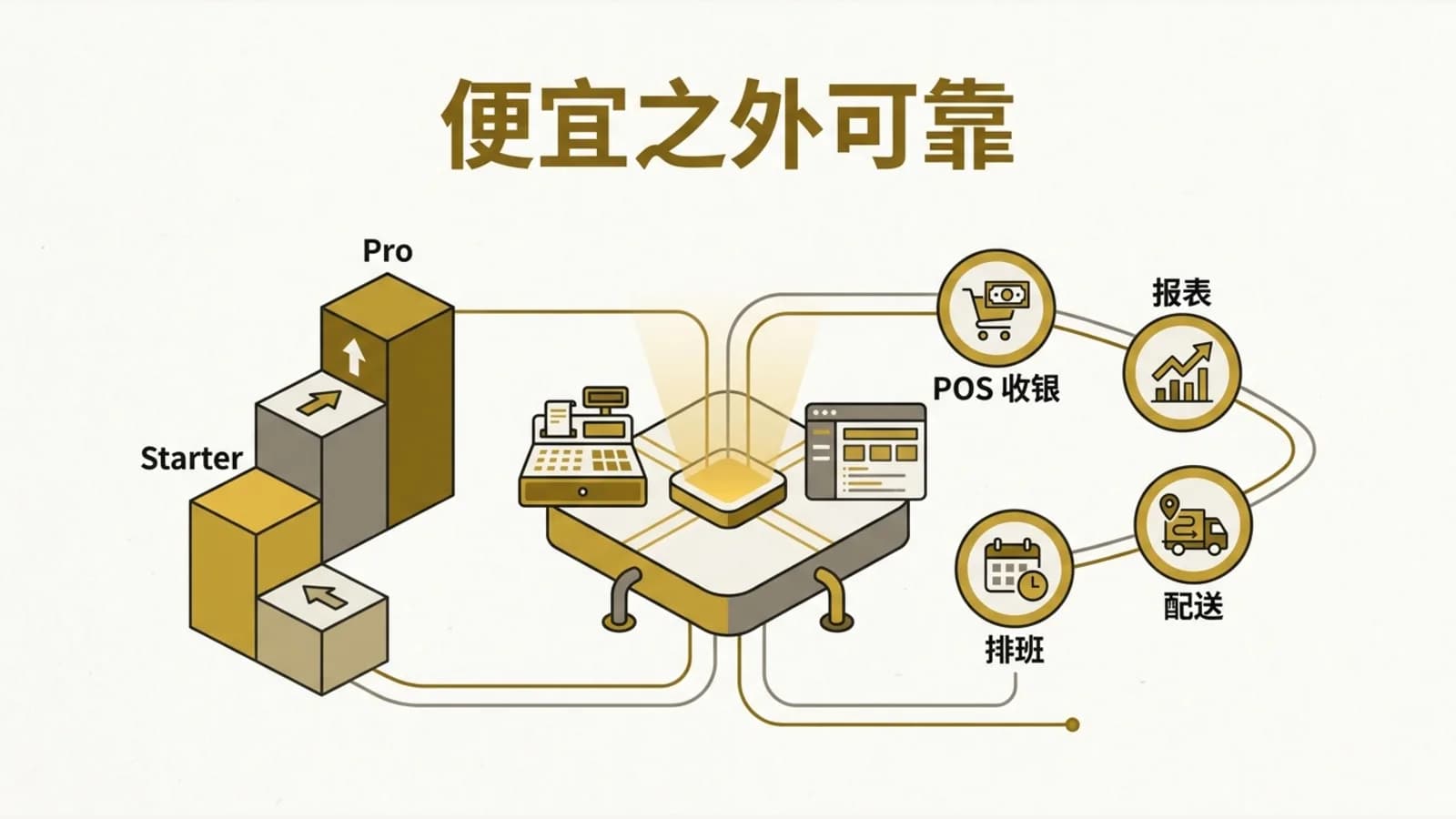
MakanCloud's Starter plan starts at SGD 59/month. It covers 1 outlet and 2 POS terminals, which is plenty for teams that just want basic checkout and reporting up and running.
If you need more, Pro is SGD 129/month and supports 5 outlets and 10 POS terminals, plus advanced reporting, staff scheduling and priority support. Growth is SGD 199/month, and Enterprise is SGD 299/month.
For a growing F&B team, the point of this pricing isn't "cheaper is better." It lets you add more of the system as you grow, so you're not paying on day one for scale you won't use for years.
2. 14-day free Pro trial, no credit card required
The best way to find out if a restaurant system fits isn't a sales pitch. It's running it in your actual day-to-day.
MakanCloud offers a 14-day free trial of the Pro plan, no credit card required. You can test outlet ordering, POS checkout, scheduling, reporting and the other core workflows, then decide whether it really fits the way you operate.
If your team is still juggling WeChat, paper tickets, Excel and a standalone POS, don't judge the trial on how pretty the UI is. Look at three things:
First, is it clearer what's going on between your outlets and HQ? Second, is there less back-and-forth between the kitchen, inventory and delivery? Third, does your checkout data actually connect to your back-end operations?
3. When the internet goes down, the outlet shouldn't
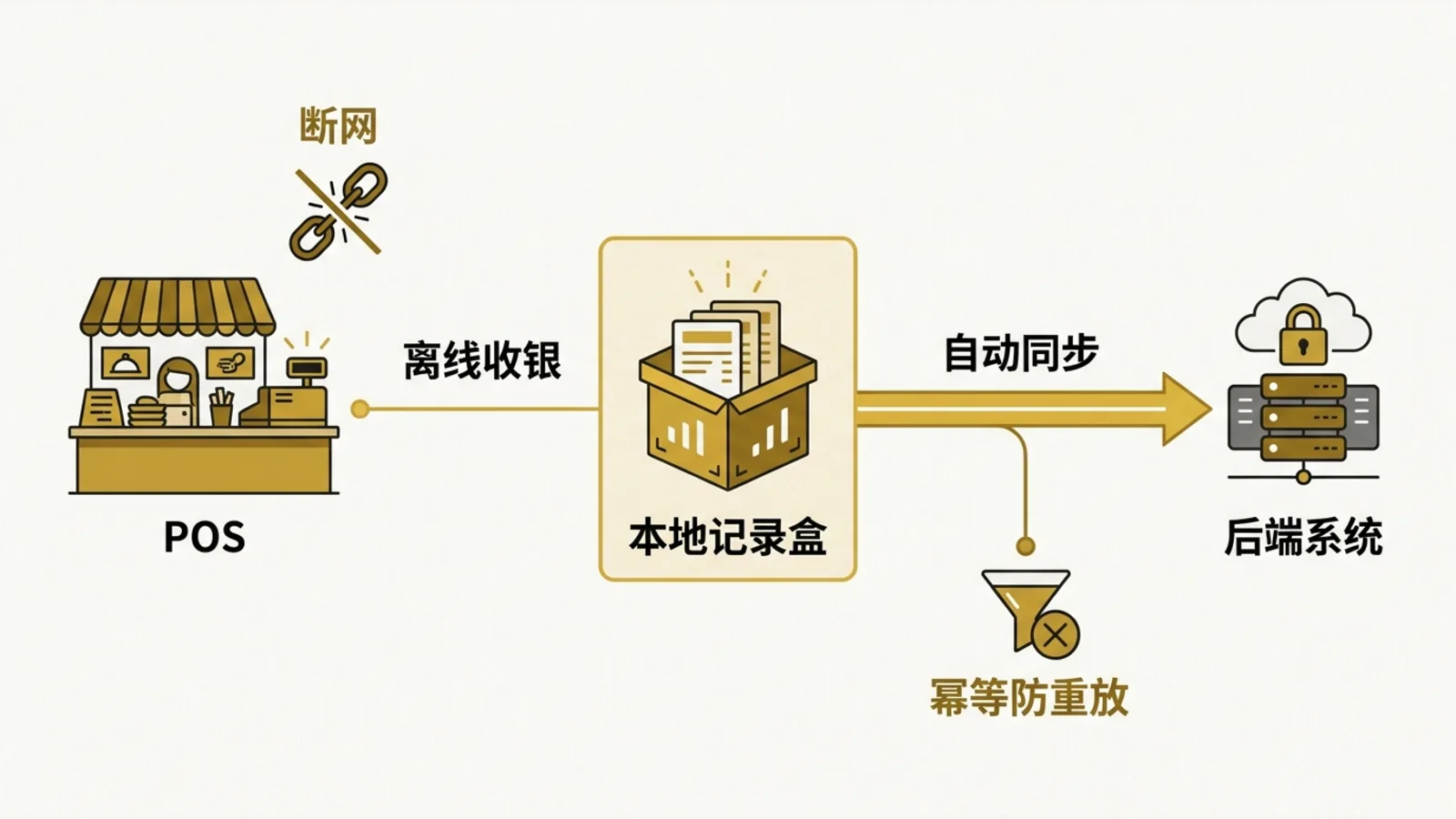
Flaky internet at an outlet is more common than you'd think. If the POS can't take payments during a rush because the connection dropped, the pressure on the front counter spikes right away.
MakanCloud POS supports offline checkout and syncs automatically when the connection comes back. It uses idempotent replay protection to avoid problems from duplicate syncs.
It's not a flashy feature, but it matters a lot in a real outlet. The scary part of running a restaurant usually isn't a missing feature. It's things freezing up in the middle of peak hours, staff not knowing what to do, and the owner having a hard time piecing together what happened afterwards.
4. Daily backups, so your records don't depend on luck
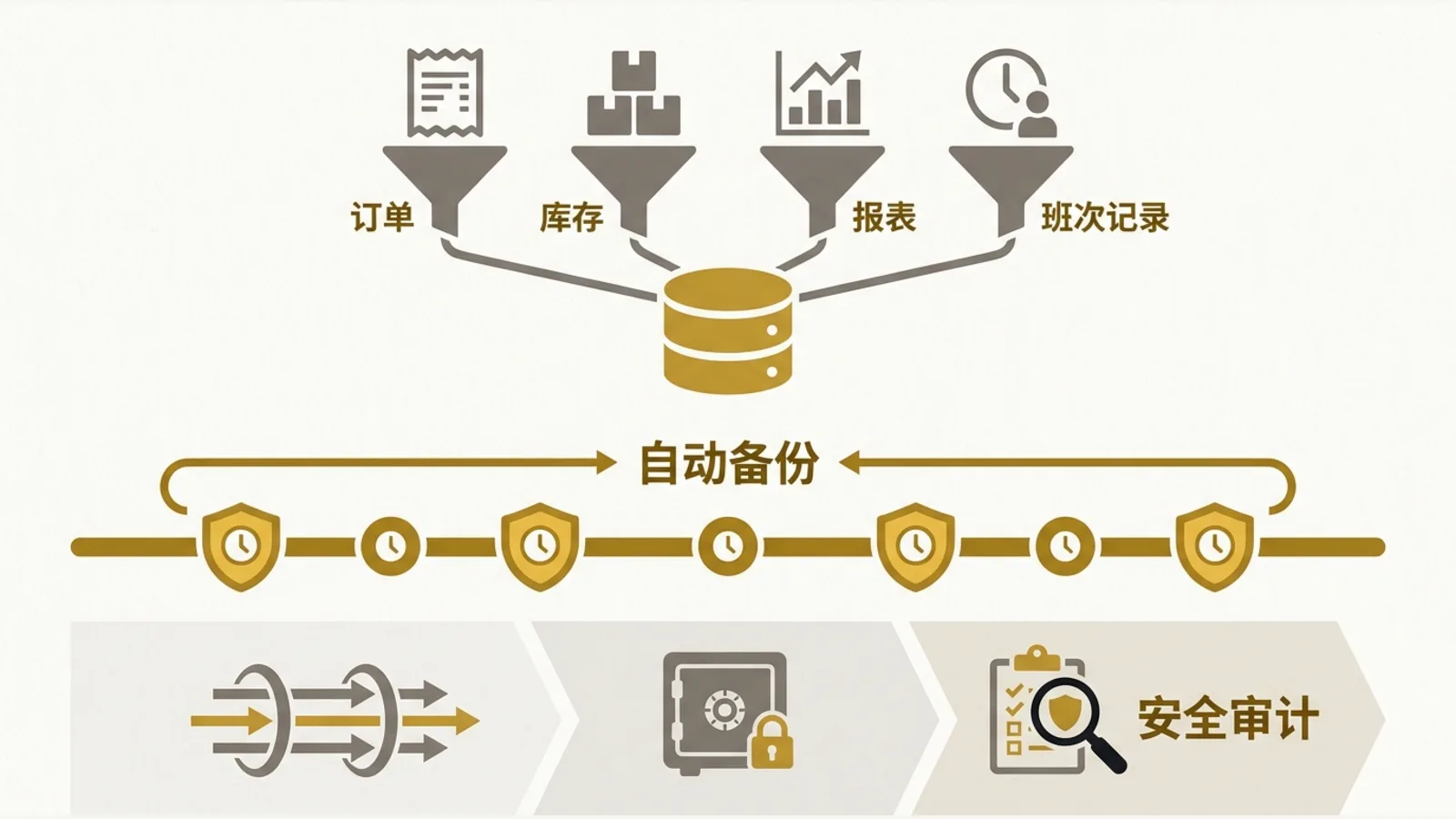
MakanCloud runs automatic backups every day at 2:00 AM and keeps them for 14 days. Data is encrypted in transit with TLS. We also run a security audit every sprint, and our cross-tenant penetration tests came back with "all blocked, zero leaks."
For an owner, orders, inventory, reports and shift records aren't optional extras. You need them for reviewing performance, reconciling accounts, purchasing and running the business going forward.
A reliable system isn't something you notice every day. But when something goes wrong, the difference is obvious: does it keep a record, can you recover, and does it keep the chaos down?
Wrapping up: cheap isn't the goal, stability is the day-to-day
MakanCloud isn't meant to be just another POS. It's an end-to-end operations platform built for Chinese restaurant chains and growing F&B teams in Singapore.
It pulls ordering, the central kitchen, production, dispatch, delivery, receiving and POS checkout onto one platform as much as possible, so outlets have fewer gaps and HQ can trace what happened.
If you're thinking about switching POS, or want to gradually bring ordering, inventory, kitchen and delivery together, the 14-day free Pro trial is a good place to start.
Start your trial: https://makancloud.com/register
And I'd love to hear from you in the comments: what do you most want to fix first? Offline checkout, reconciliation, ordering, or your central kitchen workflow?